Backup contactos, calendário, photos and videos from myPhone Up Smart LTE
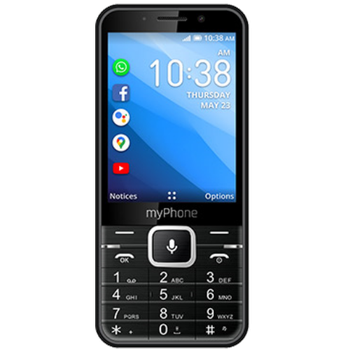
Available guides for synchronization to the secure cloud
Supported functions
- contact synchronization
- calendar synchronization
- photo synchronization
- video synchronization
- automatic sync


myPhone Up Smart LTE is supported on PhoneCopy. Please note that following settings may vary a little depending on the firmware version.
Confirmed models
Confirmed versions
News
- 12/11/23
- This phone model was just synchronized by PhoneCopy user in Spain. It transferred contactos and media.
- 30/08/23
- We just got first user of this model in France! Someone just backed up his contactos.
- 31/03/23
- Someone just used PhoneCopy for backup of myPhone Up Smart LTE in country Germany. His contactos were backed up.
- 06/08/22
- First user from Hungary just synced his contactos on myPhone Up Smart LTE phone.
- 05/07/22
- Someone just used PhoneCopy for backup of myPhone Up Smart LTE in country Czechia. His contactos and media were backed up.
KaiOS versions running on myPhone Up Smart LTE
PhoneCopy for KaiOS app supports various KaiOS versions. Our users synchronized their myPhone Up Smart LTE running KaiOS 2.5.3.1 (100.00%).
myPhone Up Smart LTE users around the world
According to our statistics, PhoneCopy users use myPhone Up Smart LTE for data backup in countries Czechia (Czech Republic, Česká republika) - 78.26%, Poland (Polska) - 13.04%, Germany (Deutschland) - 5.07%, Slovakia (Slovensko) - 1.45%, Spain (España, Espanya, Espainia, Espanha) - 0.72%, France - 0.72%, Hungary (Magyarország) - 0.72%.
Histogram depicts myPhone Up Smart LTE backup with PhoneCopy around the world.
Text guideline - How to backup
From myPhone Up Smart LTE
- Download our PhoneCopy for KaiOS from application KaiOS Marketplace to your mobile device.
- After launching the application, log in to this existing account in the application.
- After succesful login press "Synchronize" for complete synchronization, you can choose "Server >> This device" for one-way sync.
If you need more help with the settings, visit our step by step screenshot guide: How to synchronize contacts to phone with KaiOS
If you need more help with the settings, visit our step by step screenshot guide: How to backup contacts from phone with Kai OS
In the case of problems with synchronization, please contact us.
To myPhone Up Smart LTE
- Download our PhoneCopy for KaiOS from application KaiOS Marketplace to your mobile device.
- After launching the application, create a new account from the application. If you have already created an account on web pages www.phonecopy.com, log in to this existing account in the application.
- After succesful login press "Synchronize" for complete synchronization, you can choose "This device >> Server" for one-way sync.
If you need more help with the settings, visit our step by step screenshot guide: How to synchronize contacts to phone with KaiOS
If you need more help with the settings, visit our step by step screenshot guide: How to backup contacts from phone with Kai OS
In the case of problems with synchronization, please contact us.
Comentários de utilizador
To leave a comment please sign in.
-
How do I back up text on Alcatel smart flip 4052r kdawgpups, 11/03/21
-
I am sorry, but your phone doesn't support text messages backup
-
So is there anyway possible to retrieve deleted text messages
-
No. I am sorry but we don't know any way to retrieve deleted text messages in KaiOS
-
-
-